MIT supports BYOD printing through the uniFlow Online platform. This allows staff and students to print securely from personal devices (laptops, tablets, smartphones) to Canon printers on campus.
You can choose from a range of printing options to complete your task efficiently, which are shown on uniFlow platform.
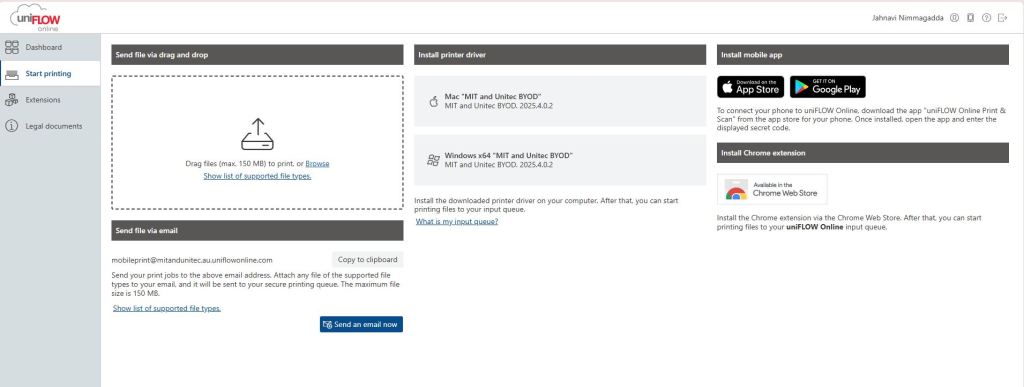
Option 1: You can submit print jobs from your work email address by attaching a document and sending to mobileprint@mitandunitec.au.uniflowonline.com and it will be sent to your secure printing queue.
Option 2: you can install printer drivers for both Mac and Windows devices from here
Option 3: You can install uniFlow mobile app from the Apple App Store or the Google Play Store.
If you need more info on how to install the app on your mobile phone, see this guide.